Smart Offers: Align Evergreen Content with Current Marketing Priorities
Most content marketing traffic flows to pages published over 30 days ago. Smart Offers ensures those top-performing pages reflect what you’re selling now.
Smart Offers is a dynamic targeting system that helps marketers convert existing traffic by promoting current initiatives directly within high-performing content pages.
What are Smart Offers?
Reportedly, 76% of content marketing organic traffic goes to content that's more than a month old. That's more than three-quarters of traffic going to pages that might be showing out-dated marketing priorities.
Smart Offers turns your entire content marketing library into an active, up-to-date, and new distribution channel for your current marketing priorities. While older content might be getting the lion's share of the organic visits, marketers using Smart Offers can make sure these visitors are exposed to current marketing plans.
As your marketing plan progresses, a central dashboard makes it easy to swap out Smart Offers so your outreach is always in line with your marketing plans.
The result: your content team can keep being an organic traffic powerhouse and you can make sure that the traffic it draws is exposed to the most current promotion initiatives.

Benefits of Smart Offers
- Content teams stay focused on creating valuable, evergreen content
- Marketing teams control what’s being promoted and where, without touching pages
- Revenue goals stay aligned with traffic, even as campaigns evolve
How do Smart Offers Work?
The key to Smart Offers is placing shortcode slots around your site: blog sidebars, resource pages, content layouts, within the body of articles, even the home page. These slots act as flexible placeholders for promotions.
From there, Smart Offers does the heavy lifting:
- Build a Smart Offer: Using the offer builder, create a Smart Card promoting a product, service, or special offer. You can create as many cards as you want and you can create them ahead of time, too.
- Create a Rule: Use the rule tool to dictate which pages or taxonomy show which Smart Card. For example, when the category contains "security", show the Smart Card for your VPN product.

- Move On: When it's time to move to a new phase in your marketing plan, create a new rule and every relevant page updates automatically.
Meanwhile, when someone accesses content, do matter how old, Smart Offers scans the rules. When it finds a match, it automatically shows the right Smart Card to the right prospect.
No content rewrites. No hunting through old posts. No outdated promotions living on long after a campaign ends. No abandoning promotional links to the ravages of time. And best of all... it's automatic.
Your content stays evergreen. Your offers stay current.
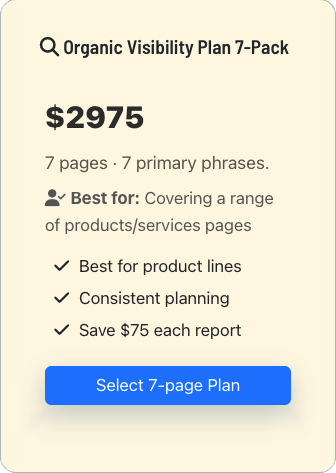
- Product information
- Special offers
- Event promotion
- and more
Smart Offers Incorporates Product Schema
Smart Offers include built-in Product Schema, which means every deployment sends structured, machine-readable signals about your products and services to search engines and LLMs.
Even when Smart Cards appear within content pages, the schema explicitly references the correct destination URL, ensuring that AI systems and search engines associate the offer with the right product page.
Smart Offers + GA4: Built In, Always On
Smart Cards distribute current marketing offers to the most likely prospects. They are also connected to your GA4 installation so you can see which are actually working.
Clicks on Smart Cards are sent as a structured GA4 event, so you can see which offers get attention, which pages drive engagement, and how those interactions connect to downstream goals. This turns Smart Cards into more than a promotion tool. They become a feedback loop between your content, your offers, and your revenue goals.
See Which Offers Perform Best
Every Smart Card interaction is tracked by default. You can see which offers get clicked, which pages drive engagement, and which messages convert across your content library.
Instead of relying on assumptions, you get real data showing how visitors respond to different offers in real contexts.
Test New Promotions to Existing Traffic
Smart Cards let you change what’s being promoted without changing the content itself. That means you can introduce a new product, service, or campaign and immediately see how your existing audience responds.
Evergreen content becomes a testing ground for current priorities, not a relic of past campaigns.
Connect Traffic to Revenue
Because Smart Offers tracks interactions at the Card level, you can finally connect organic traffic to meaningful actions. You’ll know which content contributes to conversions, not just visits.
The result is a clearer path from content performance to business impact.
Test Out this Smart Offer
This is a live, sample Smart Offer rendered exactly as it would appear on your site: automatically placed, fully styled, and ready to drive attention to what you’re promoting right now.
Imagine this card programmatically appearing in the sidebar of your blog or content marketing.
- 100% CSS-configurable to match your site's styles
- Prominent Title and price point (shown here as "Coming Soon")
- Optional image support
- Empty components never take up space
- Up to four concise feature bullets
- CTA button can go to a local page or any external URL
- CTA button text is fully customizable
- CTA clicks tracked in GA4
FAQ Manager Sample
Put FAQs on every product page.
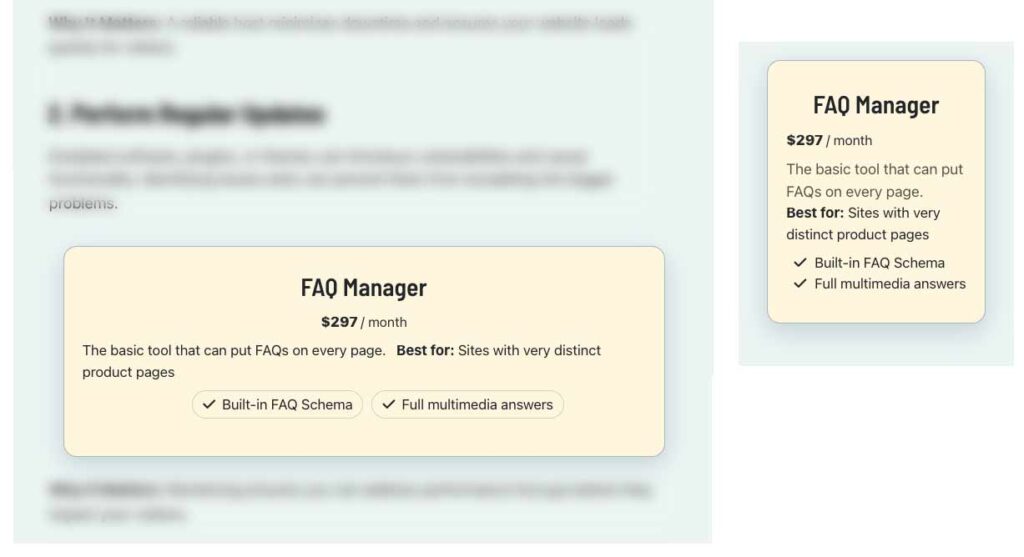
Best for: Sites with very distinct product pages- Built-in FAQ Schema
- Full multimedia answers
How Much Does Smart Offer Cost?
Smart Offers is sold as a monthly subscription based on your site's total unique monthly visitors. There are no limits to the number of Smart Cards you can create and distribute. And remember, Smart Offers comes with hands-on installation and training, so you will not be left out in the cold.
Smart Offers
Complete kit for creating and using Smart Cards on your site.
Best for: Companies who want to add CTAs to Content Marketing- Unlimited use on one site
- Up to 250,000 Unique Monthly Visitors
- Includes integrated Product Schema
- 1 month email/phone/video support to get started
Smart Offers Custom
Modified to meet your specific needs and vision
Best for: Companies who want their own version, fully managed- Complete integration
- New features
- Integrate Adobe Analytics
Installation and Training
Installing and configuration; training for marketing team. 5 hours
- Installation & Config
- Training
- Setting Up Answer Hubs
Important Note:
Smart Offers integrates directly with your site’s existing theme, inheriting its typography, colors, and layout, with flexible CSS overrides when needed. Unlike off-the-shelf WordPress plugins, I work hands-on with clients to install, configure, and tailor each tool to their site and needs.
Frequently Asked Questions
A Smart Offer is a reusable promotional card that automatically appears in your content based on rules you define. Instead of hard-coding CTAs into individual pages, Smart Offers ensure the right promotion shows up in the right content without manual updates.
Traditional CTAs are baked directly into content. That means when priorities change, you have to locate and edit dozens or hundreds of pages to update the CTAs. Smart Offers serves promotions using your site’s taxonomy (categories) and URL structure, so your promotions stay current.
Not at all. Smart Offers are designed to support content teams, not override them. Your content remains unchanged. Smart Offers simply ensure there’s another clear, relevant path from that content to what you’re promoting right now.
Smart Offers are placed in predefined “Offer Slots” that you can put anywhere on your site: sidebars, below content, within articles, and other strategic locations. Wherever that slot exists, the appropriate Smart Offer is shown automatically based on your marketing rules.
There are two format available for Smart Offers. When a Smart Offer Slot is detected, it ascertains whether to show the “card” format or the wider “panel” format.
You define simple marketing rules. For example: when the URL contains “/security/” or content belongs to the “security” category show the VPN software offer. When someone shows up on a page with a Smart Offer, the system evaluates those rules and displays the most relevant offer.
Yes. That’s the beauty of Smart Offers. To change and offer, you just need to update the rules and every relevant page updates automatically. No page-by-page edits, no missed links, no outdated promotions lingering in old content.
Yes. Smart Offers automatically tracks interactions through your GA4 so the data will automatically start appearing in your reports. CTA clicks are captured as events, so you can see exactly which offers are driving engagement and conversions.
If a page loads and there are no offers assigned to it, a default offer shows up. If you haven’t assigned a default offer, the spot does not display.
Ready to turn existing traffic into action?
Submit the form below. Prefer email? mg@michaelgrover.com
What happens next?
Once you submit the form, we’ll review your site you’ll hear back within 48 hours (weekends excepted).
On this page, FAQs managed by FAQ Manager, Pricing and Response Form managed by Smart Offers Plus, and More tab managed by ExtraSpace