ExtraSpace
Open up a brand new space on your site: off the screen.
ExtraSpace gives you a clean, attention-grabbing way to surface your top marketing priority to everybody who visits your site.
Instead of cramming more onto the page, ExtraSpace slides in, gets the point across, and gets out of the way.
What is ExtraSpace
ExtraSpace is a WordPress plugin that opens up a brand new space on your site: off the screen. A little tab on the right-hand side of your screen slides open a single, powerful message that you want to get across. Launching a product? Exhibiting at a trade show? Running a fundraiser? ExtraSpace gives you the space you need to let visitors know about.
Behind the scenes, your ExtraSpace is an open HTML block. Anything you can with an HTML block in WordPress you can do with your ExtraSpace. That includes shortcodes. And shortcodes means you can do anything.
The result: your content team can keep being an organic traffic powerhouse and you can make sure that there's a connection between traffic and revenue.
Benefits of ExtraSpace.
- Deliver a single message to all your site visitors.
- Marketing teams control what’s being promoted and where, without touching pages.
- Analytics connect behavior to your data.


Three Tiers to Meet Your Needs
| Feature | ExtraSpace | ExtraSpace Pro | ExtraSpace Custom |
|---|---|---|---|
| Best for | Single site owners who want a simple, reliable slide-out panel. | Consultants, agencies, and ops teams who need targeting and control. | Organizations that want a tailored design, strategy, and implementation. |
| Core slide-out panel + customizable tab | Included | Included (customized to your site) | |
| Content types | Text, headings, buttons, images, shortcodes. | Same as ExtraSpace, plus Stories. | Fully customized content layouts and components. |
| Display rules | Show on all pages or exclude home pages. | Natural-language style rules for pages, templates, and visitor conditions. | Customized rules defined per project. |
| Messages | Single primary message. | Tailored to your site and goals. | |
| Tab design | Background-color and linktext | Custom-designed to your needs. | |
| Panel Design | Width=340px | Choose width from 240px, 340px, and 500px. | Custom-designed to match your needs. |
| Forms & integrations | Supports shortcodes. | Integrate with your marketing stack (CRMs, mailing system, etc.). | |
| Performance & accessibility | Lightweight, accessible, minimal footprint. | ||
| Setup help | Self-serve, with basic documentation. | Done-for-you setup with consulting and training. | |
| Customization level | Configuration screen + your own CSS. | Advanced configuration settings + targeting. | Fully custom design, behavior, and rules scoped to your project. |
| Tracking | GTM/GA4 | Configured into your system. | |
| Support & Training | Plugin Instructions | Email and Phone | Email and Phone |
| License | Per Site | Unlimited Sites | Configured to your needs |
| Price | Free at WordPress | Starts at $149/month | Let's discuss |
Ties into your GA4 and GTM
ExtraSpace isn’t just a design tool. It’s an attention system.
Every slide-in panel you show creates a decision point: Did they open it? Did they click? Did they convert? Did they ignore it?
ExtraSpace’s analytics layer turns those moments into data. You can see which messages attract attention, which ones drive action, and which ones quietly fail so you can optimize what people see instead of relying on gut instinct.
And, remember, it's tying directly into your own analytics install so ExtraSpace is giving you data that's connected to the rest of your data.
That’s how banners become experiments, and ExtraSpace becomes strategy.
ExtraSpace Everywhere...except here.
By default, ExtraSpace shows up on every page on your site. That's how it helps you reach everyone who visits your site. But ExtraSpace Pro also provides serious targeting power. With its natural-language visibility rules, you can pinpoint exactly who should see the panel and where it should appear.
For example:
“Show when URL contains /events/ and visitor is logged out.”
will show ExtraSpace only to logged-out users who are visiting pages with /events/ in the URL.
ExtraSpace Everywhere...on Unlimited Sites
Here’s the part most plugins never offer: you can install ExtraSpace on as many sites as you manage. Five sites? Great. Ten? Go for it. The only limit you need to think about is the combined monthly visitors across all your sites, not the number of installs.
Pricing
ExtraSpace Basic
Covers up to 50,000 total monthly visitors across all sites you manage.
Best for: Small organizations, blogs, local nonprofits, freelancers managing a single site.- Customizable HTML panel
- Lightweight & accessibility-friendly
ExtraSpace Pro: 250K
Includes Stories feature and targeting capabilities.
Best for: Built for high-visibility brands, busy publications, and large operational portfolios.- 250K Users at unlimited sites
- Future-proof capacity for heavy traffic or rapid growth.
- Lightweight & accessibility-friendly
ExtraSpace Pro: Custom
Completely configured to your specifications, installed, and managed.
Best for: For specialized brands- Unlimited users at unlimited sites
- Future-proof capacity for heavy traffic or rapid growth.
- Lightweight & accessibility-friendly
Unlike off-the-shelf WordPress plugins...
ExtraSpace integrates directly with your site’s existing theme, inheriting its typography, colors, and layout, with flexible CSS overrides when needed. Unlike off-the-shelf WordPress plugins, I work hands-on with clients to install, configure, and tailor each tool to their site and needs.
FAQs about ExtraSpace
A Smart Offer is a reusable promotional card that automatically appears in your content based on rules you define. Instead of hard-coding CTAs into individual pages, Smart Offers ensure the right promotion shows up in the right content without manual updates.
Traditional CTAs are baked directly into content. That means when priorities change, you have to locate and edit dozens or hundreds of pages to update the CTAs. Smart Offers serves promotions using your site’s taxonomy (categories) and URL structure, so your promotions stay current.
Not at all. Smart Offers are designed to support content teams, not override them. Your content remains unchanged. Smart Offers simply ensure there’s another clear, relevant path from that content to what you’re promoting right now.
Smart Offers are placed in predefined “Offer Slots” that you can put anywhere on your site: sidebars, below content, within articles, and other strategic locations. Wherever that slot exists, the appropriate Smart Offer is shown automatically based on your marketing rules.
There are two format available for Smart Offers. When a Smart Offer Slot is detected, it ascertains whether to show the “card” format or the wider “panel” format.
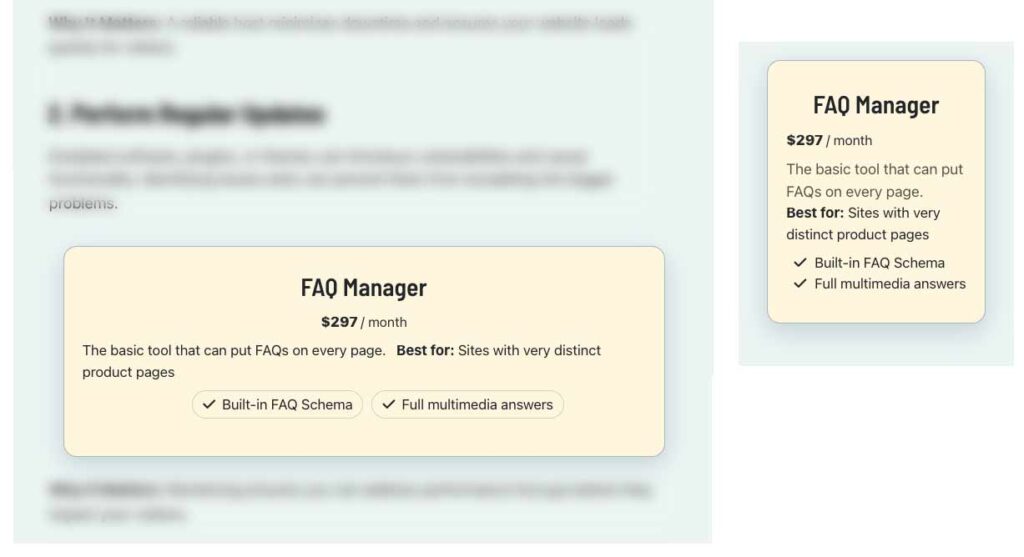
You define simple marketing rules. For example: when the URL contains “/security/” or content belongs to the “security” category show the VPN software offer. When someone shows up on a page with a Smart Offer, the system evaluates those rules and displays the most relevant offer.
Yes. That’s the beauty of Smart Offers. To change and offer, you just need to update the rules and every relevant page updates automatically. No page-by-page edits, no missed links, no outdated promotions lingering in old content.
Yes. Smart Offers automatically tracks interactions through your GA4 so the data will automatically start appearing in your reports. CTA clicks are captured as events, so you can see exactly which offers are driving engagement and conversions.
If a page loads and there are no offers assigned to it, a default offer shows up. If you haven’t assigned a default offer, the spot does not display.
Want to learn more about ExtraSpace?
You can get ExtraSpace Basic in the WordPress Plugin Directory. It is a high-capability version that includes the ability to post html and shortcodes into your slide-out panel. Prefer email? mg@michaelgrover.com
What happens next?
Once you submit the form, we’ll review your site and you’ll hear back within 48 hours (weekends excepted) with recommendations on scope, timing, and next steps.
On this page, FAQs managed by FAQ Manager, Pricing and Response Form managed by Smart Offers Plus, and More tab managed by ExtraSpace